
AI, cyber security, Education, encryption, GCC
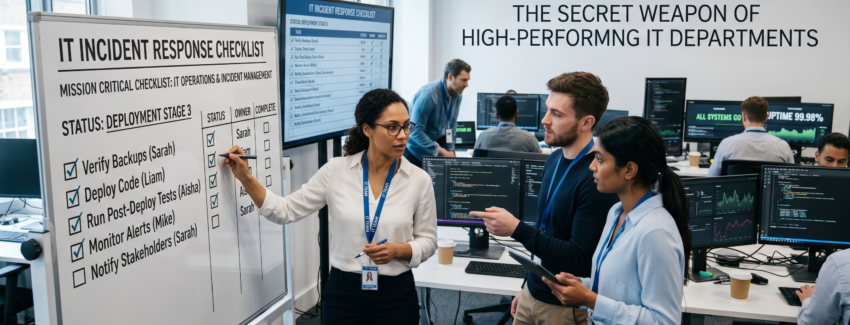
Checklist Culture: The Secret Weapon of High-Performing IT Departments
In high-performing IT departments, success is rarely accidental. It’s built on systems, discipline, and consistency—and one of the most powerful tools behind it all is something surprisingly simple: checklists.
From system updates to security audits, checklists ensure that nothing gets missed, even in the most complex environments. Whether you’re managing a school system, a retail POS, or enterprise infrastructure, adopting a checklist culture can dramatically improve performance and reliability.
What is Checklist Culture?
Checklist culture means embedding structured, repeatable checklists into every critical IT process. Instead of relying on memory or informal routines, teams follow documented steps to complete tasks accurately and consistently.
Why Checklists Matter in IT
- Reduce Human Error: Even experienced IT professionals can forget steps—checklists eliminate that risk.
- Ensure Consistency: Every task is performed the same way, every time.
- Improve Accountability: Clear steps make it easier to track responsibility and performance.
- Speed Up Training: New team members can quickly learn processes using documented checklists.
Key Areas Where Checklists Are Essential
1. System Updates and Maintenance
Ensure all updates are applied correctly without disrupting operations. A checklist might include:
- Backup system before update
- Verify compatibility
- Apply updates
- Test functionality
2. Security Audits
Cybersecurity requires strict routines. Use checklists to:
- Review access permissions
- Scan for vulnerabilities
- Update antivirus definitions
- Monitor unusual activity
3. User Onboarding and Offboarding
Managing user access is critical in schools and businesses:
- Create or disable accounts
- Assign roles and permissions
- Set up email and system access
- Revoke access when needed
4. Backup and Recovery
Data protection depends on consistency:
- Schedule regular backups
- Verify backup integrity
- Test recovery process
5. Incident Response
When systems fail, checklists ensure fast and structured recovery:
- Identify the issue
- Isolate affected systems
- Notify stakeholders
- Document resolution steps
How to Build a Checklist Culture
- Start Simple: Begin with your most critical processes.
- Document Everything: Write clear, step-by-step instructions.
- Use Digital Tools: Implement checklists in your management systems.
- Review Regularly: Update checklists as systems evolve.
Conclusion
Checklist culture transforms IT departments from reactive to proactive. It minimizes risk, improves efficiency, and ensures that your systems run smoothly every day.
If your organization is still relying on memory or informal processes, now is the time to change. A simple checklist today can prevent major failures tomorrow.
AI, cyber security, Education, GCC
In today’s fast-paced digital environment, IT departments are under constant pressure to ensure systems run smoothly, securely, and efficiently. Whether it’s applying security patches, performing routine maintenance, or upgrading critical infrastructure, even a small oversight can lead to major disruptions.
This is where structured checklists become essential. A well-designed checklist ensures that no task is forgotten, no step is skipped, and every IT operation is executed with precision.
Why Checklists Matter in IT Operations
IT environments are complex. Multiple systems, users, integrations, and security layers make it difficult to rely solely on memory or informal processes.
- Consistency: Standardizes processes across teams
- Accountability: Ensures tasks are assigned and tracked
- Error Reduction: Minimizes human mistakes
- Efficiency: Saves time by following predefined workflows
- Compliance: Helps meet regulatory and audit requirements
Without checklists, IT teams risk missing critical updates or skipping essential validation steps.
Key Areas Where IT Checklists Are Critical
1. System Updates & Patch Management
Missing a security patch can expose your entire organization to vulnerabilities.
- Verify backup before update
- Review patch notes and compatibility
- Schedule downtime if required
- Test updates in staging environment
- Confirm successful deployment
2. Routine Maintenance
Regular maintenance ensures system stability and longevity.
- Server health checks
- Disk space monitoring
- Log file reviews
- Database optimization
- Network performance checks
3. System Upgrades
Upgrades are complex and risky without proper planning.
- Define upgrade scope
- Notify stakeholders
- Create rollback plan
- Perform compatibility testing
- Validate post-upgrade performance
4. Security Audits
Security is not a one-time task—it requires continuous monitoring.
- Review user access permissions
- Check firewall configurations
- Scan for vulnerabilities
- Update antivirus definitions
- Review incident logs
5. Backup & Disaster Recovery
A backup is only useful if it works when needed.
- Verify backup completion
- Test restore procedures
- Ensure offsite storage
- Validate backup integrity
- Document recovery steps
Benefits of Using IT Checklists
Organizations that implement structured IT checklists experience:
- Reduced system downtime
- Improved team coordination
- Higher operational reliability
- Better documentation and knowledge transfer
- Enhanced cybersecurity posture
Digital Checklists vs Manual Processes
Modern IT departments should move beyond paper-based or static documents. Digital checklist systems offer:
- Real-time tracking
- Automated reminders
- Integration with IT management tools
- Audit logs and reporting
- Role-based task assignment
This ensures visibility and control across all IT operations.
Best Practices for Implementing IT Checklists
- Keep checklists simple and actionable
- Update regularly based on new technologies
- Assign clear ownership for each task
- Use automation where possible
- Continuously review and improve processes
Final Thoughts
In IT, small mistakes can lead to big consequences. A missed update, an incomplete backup, or an overlooked configuration can disrupt operations and impact business continuity.
Checklists are not just administrative tools—they are operational safeguards.
By implementing structured checklists across all IT functions, organizations can ensure consistency, improve efficiency, and significantly reduce risks associated with updates, maintenance, and system upgrades.
If your IT department is still relying on informal processes, now is the time to adopt a checklist-driven approach and bring discipline to your operations.