|
Getting your Trinity Audio player ready... |
AI isn’t coming for every IT job. It’s coming for the repetitive parts of your IT job.
For years, system administrators have been the people behind the scenes keeping organizations running.
They create user accounts.
They reset passwords.
They manage servers.
They troubleshoot network problems.
They deploy software.
They monitor systems.
They maintain backups.
They patch operating systems.
They respond when something breaks at 2:00 AM.
They are often the person everyone calls when “the computer isn’t working.”
But the nature of IT is changing.
Artificial intelligence is now capable of troubleshooting problems, generating scripts, analyzing logs, creating documentation, monitoring infrastructure, writing automation workflows and even taking actions across enterprise systems.
AI agents are beginning to move beyond simply answering questions. They can interact with applications, APIs, databases and enterprise platforms and perform tasks on behalf of users.
That raises an uncomfortable question for thousands of IT professionals:
If AI can administer IT systems, what happens to system administrators?
The short answer is:
Some IT jobs will disappear. Some will shrink. Many will change. And entirely new IT roles will emerge.
But there is an important distinction.
AI is much better at replacing tasks than replacing responsibility.
And that distinction could determine whether an IT professional struggles in the next five years—or becomes significantly more valuable.
The System Administrator Job Is Already Changing
The traditional system administrator role was built around managing infrastructure manually.
A typical administrator might spend a significant portion of the day:
- Creating Active Directory accounts
- Resetting passwords
- Unlocking accounts
- Checking server health
- Reviewing event logs
- Installing patches
- Configuring DNS
- Managing DHCP
- Deploying applications
- Checking backups
- Responding to alerts
- Troubleshooting connectivity
- Creating reports
- Writing documentation
- Performing repetitive PowerShell tasks
These are important responsibilities.
But many of them are predictable.
And predictable work is exactly where automation and AI are strongest.
Imagine an administrator receiving this alert:
Server APP01 is running low on disk space.
Traditionally, someone might:
- Connect to the server.
- Check disk usage.
- Identify large files.
- Determine whether they are safe to remove.
- Clean temporary files.
- Check application logs.
- Restart a service if necessary.
- Document what happened.
An automated system can potentially perform much of this process without waiting for a human.
The AI-enabled workflow might look like:
Monitor ? Detect ? Investigate ? Recommend ? Remediate ? Verify ? Document
That is a fundamental change.
The administrator is no longer necessarily performing every step.
Instead, the administrator becomes the person who designs, controls and governs the workflow.
And that is where the future of IT becomes interesting.
AI Is Not Replacing IT. It Is Removing IT Tasks.
This is probably the most important concept for IT professionals to understand.
A job is not one task.
A job is a collection of tasks.
AI can automate some of those tasks without necessarily eliminating the entire occupation.
Consider a system administrator.
Their job may contain:
| Task | AI Automation Potential |
| Password resets | ? Very High |
| User provisioning | ? Very High |
| Basic monitoring | ? Very High |
| Log analysis | ? Very High |
| Basic troubleshooting | ? High |
| Patch scheduling | ? High |
| Documentation | ? Very High |
| Script generation | ? Very High |
| Backup verification | ? High |
| Incident triage | ? High |
| Infrastructure design | ? Medium |
| Security architecture | ? Medium |
| Disaster recovery strategy | ? Medium |
| Vendor management | ? Low |
| Business decisions | ? Very Low |
| Risk ownership | ? Very Low |
| Leadership | ? Very Low |
| Organizational strategy | ? Very Low |
This changes the question.
Instead of asking:
“Will AI replace system administrators?”
We should ask:
“Which parts of system administration will AI replace—and what will administrators do instead?”
The 5 Stages of the IT Administrator’s Evolution
I believe we are moving through five major stages.
Stage 1 — Manual IT
This is traditional IT.
A user submits a ticket.
The administrator investigates.
The administrator fixes the problem.
The administrator closes the ticket.
Human effort is required at almost every stage.
Stage 2 — Automated IT
Scripts and automation begin handling repetitive work.
For example:
New Employee
?
HR System
?
Automation
?
Active Directory Account
?
Microsoft 365 License
?
?
Security Groups
?
Computer Assignment
The administrator creates the workflow.
The automation executes it.
This is already common in mature IT environments.
Stage 3 — AI-Assisted IT
Now AI begins helping the administrator make decisions.
Instead of manually reviewing 10,000 log entries, the administrator asks an AI system to identify anomalies.
Instead of manually writing PowerShell, the administrator describes the desired result.
Instead of searching through documentation, the administrator asks an AI assistant.
Instead of manually writing incident reports, AI generates the first draft.
The administrator becomes faster.
This is where most organizations are today.
Stage 4 — Agentic IT
This is where things become much more significant.
An AI agent isn’t merely answering:
“How do I reset a password?”
It may actually perform the operation.
For example:
User reports:
“I can’t access my account.”
?
AI Agent
?
Verify identity
?
Check Entra ID
?
Check account status
?
Identify lockout
?
Apply approved remediation
?
Verify login status
?
Notify user
?
Create ticket documentation
The human doesn’t necessarily execute every step.
The human defines:
- What the agent is allowed to do
- What systems it can access
- What actions require approval
- What data it can see
- What policies it must follow
- What happens when something goes wrong
This is a completely different IT role.
The administrator is becoming an orchestrator of intelligent systems.
Stage 5 — Autonomous IT
The eventual destination is something closer to:
Self-Healing Infrastructure.
Imagine a production environment where an AI system continuously monitors:
- Servers
- Networks
- Applications
- Databases
- Cloud resources
- Identity systems
- Security events
- Performance
- Costs
- Backups
It detects an anomaly.
It investigates.
It determines the likely cause.
It evaluates possible remediation.
It performs an approved action.
It verifies the result.
It rolls back if necessary.
It documents the incident.
And it alerts a human when the situation exceeds its authority.
That is not science fiction anymore.
The industry is actively moving toward increasingly autonomous systems.
Google Cloud, for example, describes AI agents as systems that can access email, databases and APIs and take actions—not simply retrieve information. Google also reports that security, governance and operations are among the biggest challenges organizations face when scaling AI inference.
Microsoft has also been developing agentic approaches to cybersecurity operations, including systems designed to coordinate specialized security agents for investigation and remediation.
The question isn’t whether this direction exists.
The question is how quickly organizations will adopt it.
So… Will System Administrators Become Obsolete?
Some will.
But probably not for the reason many people think.
The biggest risk isn’t:
AI replacing every system administrator.
The bigger risk is:
An AI-enabled system administrator replacing a traditional administrator who refuses to adopt AI and automation.
Think about two IT professionals.
Administrator A
Has 10 years of experience.
Knows Windows Server.
Knows Active Directory.
Knows networking.
Knows troubleshooting.
But performs most tasks manually.
Doesn’t use AI.
Doesn’t automate.
Doesn’t understand APIs.
Doesn’t know cloud platforms.
Doesn’t understand security automation.
Administrator B
Has 5 years of experience.
Knows Windows and Linux.
Knows Microsoft 365.
Knows Azure.
Uses PowerShell and Python.
Understands APIs.
Uses AI copilots.
Builds automation.
Understands cybersecurity.
Can deploy cloud infrastructure.
Can design AI workflows.
Can monitor and govern AI agents.
Who is more valuable?
In an increasingly automated organization, probably Administrator B.
And this is the critical lesson:
Experience remains valuable—but experience without adaptation can become a liability.
The World Economic Forum Is Already Warning About This Shift
The World Economic Forum’s Future of Jobs Report 2025 projects significant disruption to the global labor market through 2030.
The report estimates that 170 million jobs could be created while 92 million could be displaced, producing a net increase of 78 million jobs.
But there is a catch.
Nearly 40% of workers’ existing skill sets are expected to change or become outdated between 2025 and 2030.
The fastest-growing skills include:
- AI and big data
- Networks and cybersecurity
- Technological literacy
At the same time, human capabilities such as analytical thinking, creative thinking, resilience, flexibility, leadership and collaboration remain highly important.
That is a very important signal.
The future isn’t purely technical.
And it isn’t purely human.
It is a combination.
Technical skills + human judgment + AI capability.
What Happens to Help Desk and Level-1 IT?
This is probably where AI will have the biggest immediate impact.
Consider common help-desk requests:
“I forgot my password.”
“How do I install Microsoft Teams?”
“My printer isn’t working.”
“I can’t access the shared folder.”
“How do I connect to Wi-Fi?”
“My account is locked.”
“How do I request software?”
These are highly structured problems.
AI can potentially answer many of them instantly.
An AI-powered IT service desk could:
- Understand the request
- Verify the user
- Search the knowledge base
- Diagnose the issue
- Perform approved actions
- Escalate when necessary
- Create a ticket
- Update the knowledge base
This doesn’t necessarily mean help desks disappear.
It means the ratio of humans to tickets can change dramatically.
Instead of:
10 IT staff ? 10,000 users
an organization might eventually operate with:
AI service desk + smaller expert IT team ? 10,000 users
The humans then focus on exceptions.
And exceptions are where complexity lives.
What About Network Administrators?
Networking is also changing.
Traditional network administration involves:
- Configuring switches
- Configuring routers
- VLAN management
- Firewall rules
- Troubleshooting connectivity
- Monitoring traffic
- Reviewing logs
- Managing VPNs
- Managing wireless networks
Automation can already handle many configuration tasks.
AI adds another layer.
Imagine saying:
“Create a secure guest network across all branches, isolate it from internal systems, limit bandwidth to 100 Mbps, and apply the corporate security policy.”
Instead of manually configuring dozens of devices, an AI-driven network management platform could potentially translate that intent into configurations.
The administrator’s role shifts from:
“How do I configure this switch?”
to:
“What should the network architecture and security policy be?”
That is a higher-level responsibility.
What About Cloud Administrators?
Cloud makes this transformation even more obvious.
Cloud platforms are already highly automated.
You don’t physically install:
- Servers
- Storage arrays
- Network switches
- Firewalls
- Load balancers
Instead, you define what you want.
Infrastructure-as-Code takes that concept further.
AI adds another interface.
The future could increasingly look like:
Business Requirement
?
AI Infrastructure Assistant
?
Infrastructure-as-Code
?
Cloud Platform
?
Automated Deployment
?
Monitoring
?
AI Optimization
The administrator increasingly becomes an architect and governor.
The New IT Skill: Intent-Based Administration
This could become one of the most important concepts in future IT.
Traditional administration is command-based.
You tell the computer:
Create this user.
Configure this firewall rule.
Deploy this server.
Intent-based administration is different.
You tell the system:
“Ensure employees can access the HR application securely from approved devices.”
The technology determines how to achieve that objective.
This is a major conceptual shift.
The administrator needs to understand what the organization needs, not merely which command to type.
AI Will Also Create New IT Problems
This is the part that often gets overlooked.
AI may automate IT.
But it also creates an entirely new attack surface.
Organizations now have:
- AI assistants
- AI agents
- API integrations
- LLM applications
- RAG systems
- Autonomous workflows
- AI-powered security tools
- AI-connected databases
And these systems need:
- Identity
- Authentication
- Authorization
- Logging
- Monitoring
- Governance
- Data protection
- Security controls
An AI agent with access to email, databases and APIs can become extremely powerful.
That means organizations need people who understand AI security.
Google’s current AI infrastructure research describes agents as potentially highly privileged insiders because they may have permission to read information and execute actions across enterprise systems.
This creates a new career opportunity.
The Rise of the AI Infrastructure Engineer
The traditional roles are beginning to converge.
We used to have:
System Administrator
Network Administrator
Cloud Engineer
Security Engineer
DevOps Engineer
Data Engineer
Now we are increasingly seeing overlap.
A future IT professional may need to understand:
Infrastructure
+
Cloud
+
Automation
+
Cybersecurity
+
AI
+
Data
+
Identity
This is the person I would call an:
AI Infrastructure Engineer
or potentially:
AI Infrastructure Architect
This person doesn’t simply maintain infrastructure.
They design infrastructure that can understand, automate, secure and optimize itself.
The Skills IT Professionals Should Learn Now
If you are currently a system administrator, don’t panic.
Start upgrading.
Here is the roadmap I would recommend.
- Master PowerShell
PowerShell isn’t going away.
In fact, automation makes it more valuable.
Learn:
- Advanced PowerShell
- REST APIs
- JSON
- Microsoft Graph
- Automation
- Scheduled tasks
- Error handling
- Logging
- Security
Don’t just learn commands.
Learn to build automation.
- Learn Python
You don’t need to become a software engineer.
But you should understand enough Python to:
- Work with APIs
- Process data
- Automate tasks
- Build scripts
- Interact with AI services
- Parse logs
- Connect systems
- Build small tools
A system administrator who can automate with both PowerShell and Python becomes significantly more capable.
- Learn APIs
This is one of the most underrated IT skills.
Modern systems communicate through APIs.
Microsoft 365.
Azure.
AWS.
Google Cloud.
Security platforms.
ERP systems.
CRMs.
SaaS applications.
AI platforms.
If you understand APIs, you can connect them.
And connecting systems is increasingly what IT automation is about.
- Learn Cloud
At minimum, understand one major cloud ecosystem deeply.
For example:
Microsoft Azure
or
AWS
or
Google Cloud
Learn:
- Identity
- Compute
- Storage
- Networking
- Security
- Monitoring
- Backup
- Automation
- Cost management
For Microsoft-focused administrators, Azure and Microsoft Entra are particularly valuable.
- Learn Cybersecurity
This is not optional anymore.
The future IT administrator needs to understand:
- Zero Trust
- MFA
- Identity security
- Endpoint security
- Network security
- SIEM
- EDR/XDR
- Vulnerability management
- Incident response
- Data protection
- Security monitoring
And increasingly:
AI security.
- Learn AI
You don’t necessarily need to train your own large language model.
You need to understand how to use AI effectively.
Learn:
- LLM fundamentals
- Prompt engineering
- RAG
- AI agents
- Tool calling
- APIs
- AI automation
- AI security
- AI governance
- Evaluation
- Context management
Most importantly:
Build things.
Don’t just watch AI tutorials.
- Learn Automation Architecture
Knowing how to write a script is useful.
Knowing how to design an automated system is much more valuable.
For example:
Event
?
Detection
?
Decision
?
Approval
?
Action
?
Verification
?
Logging
?
Escalation
This is the mindset of the future administrator.
- Learn Identity
Identity is becoming one of the most important areas of enterprise IT.
Understand:
- Active Directory
- Microsoft Entra ID
- RBAC
- Conditional Access
- Privileged Identity Management
- Service accounts
- Managed identities
- OAuth
- API permissions
And now:
AI agent identities.
If an AI agent can perform actions, the organization needs to know:
Who is this agent?
What can it access?
What can it change?
Who authorized it?
What did it do?
- Learn Observability
Future infrastructure will generate enormous amounts of telemetry.
Learn how to interpret:
- Logs
- Metrics
- Traces
- Events
- Alerts
- Performance data
- Security signals
AI can help analyze this information.
But someone still needs to understand whether the conclusion makes sense.
- Develop Business Skills
This may be the most important skill of all.
A junior administrator asks:
“What server should we buy?”
A senior administrator asks:
“What business problem are we trying to solve?”
A future IT leader asks:
“Can we solve this problem without buying another server?”
AI will make technical implementation cheaper and faster.
That means business judgment becomes more valuable.
What AI Still Struggles With
Despite impressive capabilities, AI isn’t magic.
It can make mistakes.
It can misunderstand context.
It can generate incorrect configurations.
It can make dangerous assumptions.
It can hallucinate.
It can misunderstand organizational policies.
It can recommend technically correct solutions that are operationally inappropriate.
And when an AI agent has permission to make changes, an incorrect decision can have real consequences.
That’s why humans remain essential.
Especially for:
- Critical infrastructure
- Security decisions
- Disaster recovery
- Compliance
- Architecture
- Risk management
- Major incidents
- Vendor negotiations
- Organizational strategy
The more powerful AI becomes, the more important governance becomes.
The Human Advantage
There is something experienced IT professionals possess that is difficult to automate completely:
Context.
An AI might know that a server is overloaded.
An experienced administrator may know why.
Perhaps:
- The finance department runs payroll on that server every Friday.
- A legacy application cannot be restarted during business hours.
- The vendor’s support contract requires a particular configuration.
- The server is part of a fragile dependency chain.
- A previous patch caused a similar incident.
- The organization cannot tolerate downtime during an important event.
That knowledge isn’t always contained in documentation.
It exists in experience.
That’s why senior IT professionals shouldn’t compete with AI at repetitive tasks.
They should use AI to amplify their experience.
The Future IT Team May Look Very Different
Imagine a future IT department.
Instead of 20 administrators manually managing thousands of devices, you might have:
AI Service Desk
Handles routine requests.
AI Operations Agents
Monitor infrastructure.
AI Security Agents
Detect and investigate threats.
Automation Platform
Executes approved workflows.
Human Engineers
Handle complex issues.
IT Architects
Design systems.
Security Specialists
Govern risk.
IT Leaders
Make strategic decisions.
The IT department doesn’t disappear.
It becomes smaller, more automated and more specialized.
A New Definition of “System Administrator”
The title itself may eventually become misleading.
The administrator of the future won’t necessarily spend all day administering systems manually.
Instead, they may:
- Design automation
- Manage cloud infrastructure
- Govern AI agents
- Build self-service systems
- Secure identities
- Monitor infrastructure
- Develop automation
- Manage vendors
- Design architecture
- Lead transformation
- Respond to complex incidents
The job becomes less about maintaining computers.
And more about engineering reliable digital systems.
What Should You Do If You Are a System Administrator Today?
Don’t wait for your employer to force you to learn.
Start now.
The 12-Month IT Career Upgrade Plan
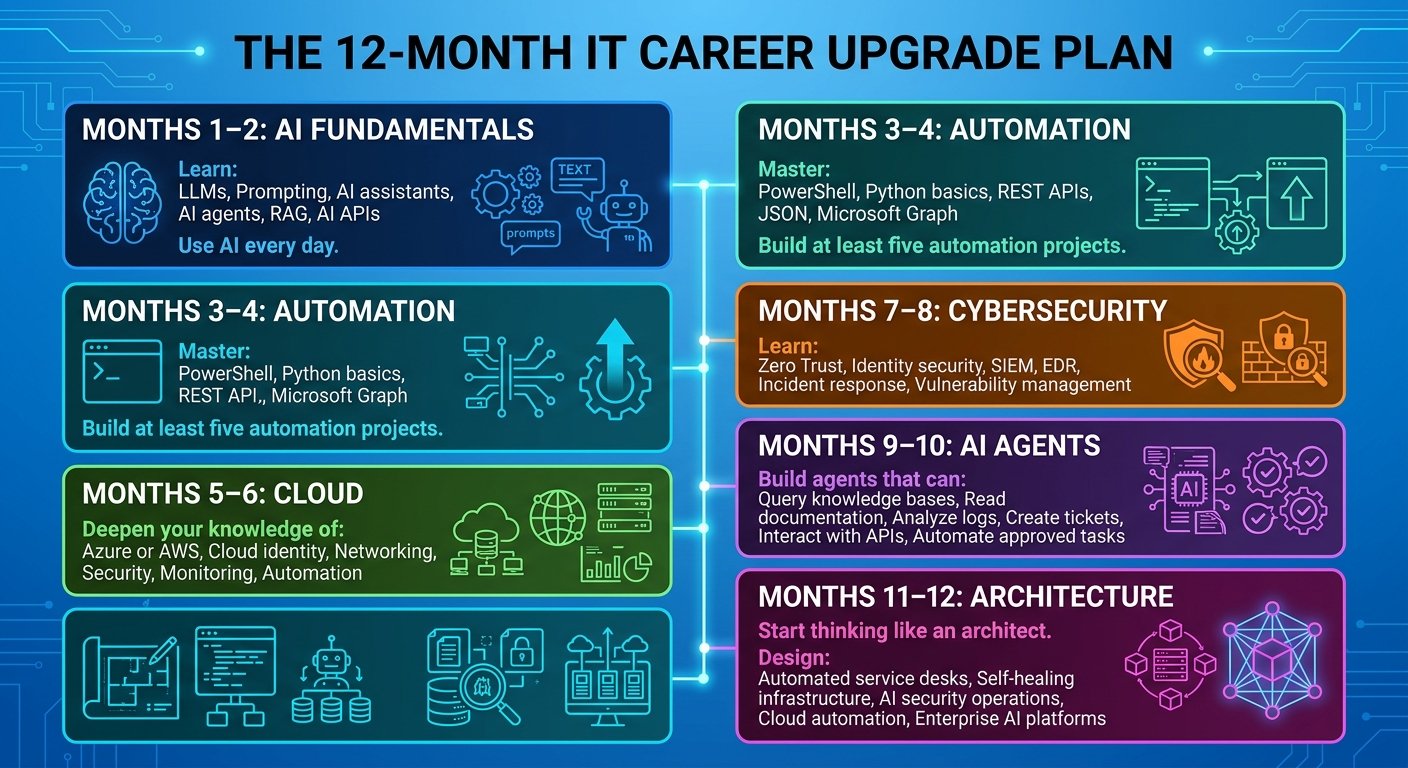
Months 1–2: AI Fundamentals
Learn:
- LLMs
- Prompting
- AI assistants
- AI agents
- RAG
- AI APIs
Use AI every day.
Months 3–4: Automation
Master:
- PowerShell
- Python basics
- REST APIs
- JSON
- Microsoft Graph
Build at least five automation projects.
Months 5–6: Cloud
Deepen your knowledge of:
- Azure or AWS
- Cloud identity
- Networking
- Security
- Monitoring
- Automation
Months 7–8: Cybersecurity
Learn:
- Zero Trust
- Identity security
- SIEM
- EDR
- Incident response
- Vulnerability management
Months 9–10: AI Agents
Build agents that can:
- Query knowledge bases
- Read documentation
- Analyze logs
- Create tickets
- Interact with APIs
- Automate approved tasks
Months 11–12: Architecture
Start thinking like an architect.
Design:
- Automated service desks
- Self-healing infrastructure
- AI security operations
- Cloud automation
- Enterprise AI platforms
At the end of 12 months, you should no longer describe yourself simply as:
System Administrator
You should be able to say something closer to:
IT Infrastructure & Automation Engineer
or:
Cloud & Infrastructure Engineer
or:
AI Infrastructure & Security Specialist
or eventually:
AI Infrastructure Architect
The Biggest Mistake IT Professionals Can Make
The biggest mistake isn’t using AI.
It’s ignoring it.
I’ve seen this pattern repeatedly throughout the history of IT.
When virtualization became popular, some administrators ignored it.
When cloud computing grew, some administrators ignored it.
When automation became mainstream, some administrators ignored it.
When cybersecurity became critical, some administrators treated it as someone else’s responsibility.
And now AI is creating another major shift.
The professionals who adapt early will have an advantage.
Don’t Compete With AI. Manage It.
This is the mindset I recommend.
Don’t ask:
“How can I prevent AI from taking my job?”
Ask:
“How can I make AI do 50% of my repetitive work?”
Then ask:
“What valuable work can I do with the time I just created?”
Maybe you can:
- Improve security.
- Automate deployments.
- Build better infrastructure.
- Learn cloud.
- Improve disaster recovery.
- Design new systems.
- Lead digital transformation.
- Build AI solutions.
- Mentor junior staff.
- Work on strategic projects.
That is how you turn AI from a threat into leverage.
The Future Belongs to IT Professionals Who Can Connect the Dots
The next generation of IT professionals won’t necessarily be the people who know the most commands.
They will be the people who understand how everything connects.
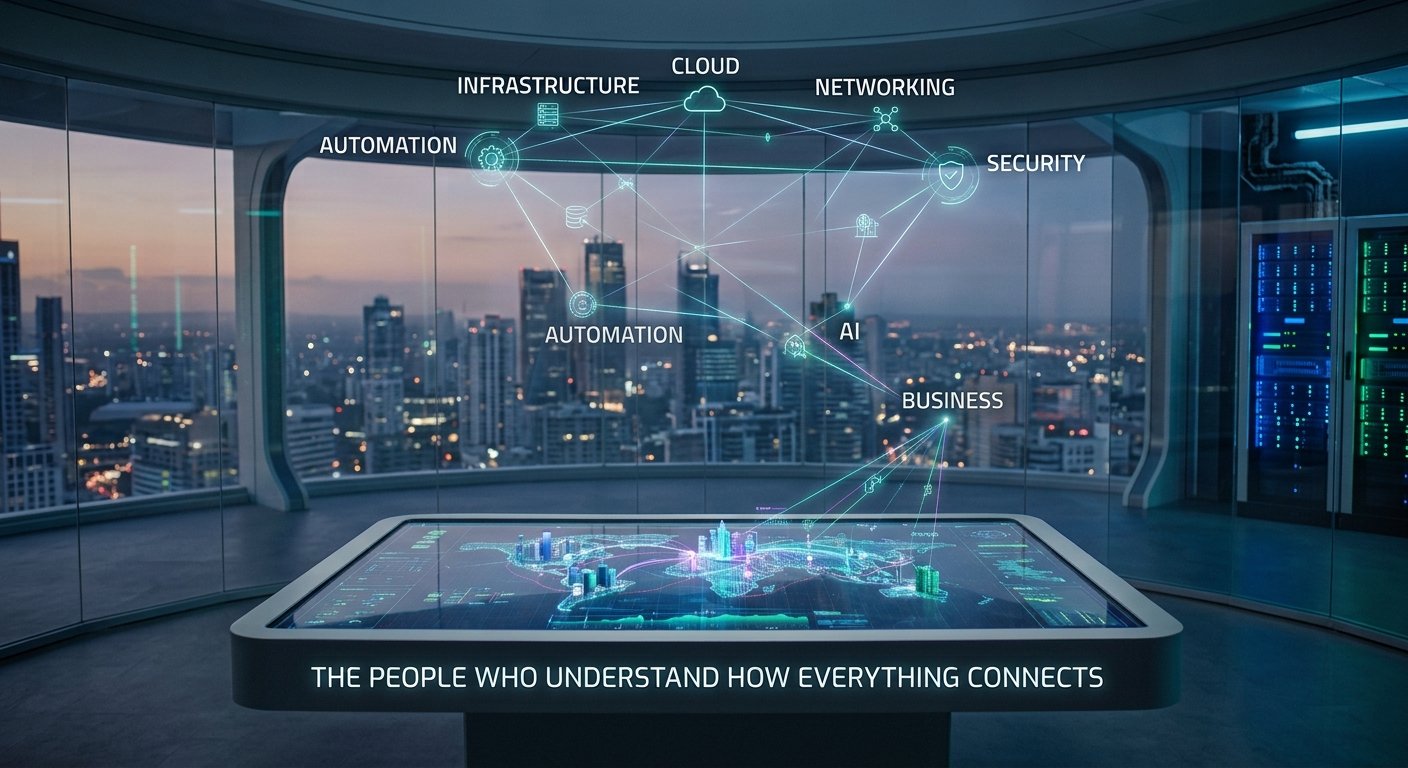
Infrastructure
Cloud
Networking
Security
Automation
AI
Business
That combination is powerful.
An administrator who understands only infrastructure may become increasingly replaceable.
An engineer who understands infrastructure and automation becomes more valuable.
An engineer who understands infrastructure, automation and cybersecurity becomes even more valuable.
An engineer who understands infrastructure, automation, cybersecurity and AI becomes extremely difficult to replace.
The Real Threat Isn’t AI
The real threat is becoming irrelevant.
Technology has always changed the IT profession.
The mainframe administrator evolved into the server administrator.
The server administrator evolved into the virtualization administrator.
The virtualization administrator evolved into the cloud engineer.
The cloud engineer is now evolving toward automation and AI-enabled infrastructure.
The title changes.
The technology changes.
The tools change.
But one thing remains:
Organizations will always need people who can make technology work reliably.
The difference is that tomorrow’s IT professional will have far more powerful tools.
Final Thoughts
Will AI replace system administrators?
Some jobs will be eliminated.
Some roles will shrink.
Many responsibilities will be automated.
But I don’t believe the future is a world without IT professionals.
I believe it is a world where IT professionals operate at a higher level.
The administrator who spends eight hours manually processing tickets is vulnerable.
The administrator who builds an AI-powered system that processes those tickets automatically is valuable.
The administrator who can secure that AI system is even more valuable.
And the administrator who can design the entire infrastructure, automate it, secure it and align it with the organization’s business objectives?
That person isn’t being replaced by AI.
That person is using AI to become more powerful.
The future of IT isn’t:
Humans vs. AI.
It is:
IT professionals who use AI vs. IT professionals who don’t.
And the transition has already started.
Your Next Move
If you’re a system administrator, infrastructure engineer, network administrator or IT support professional reading this, don’t wait until AI appears in your job description.
Start experimenting now.
Automate one repetitive task.
Learn one API.
Build one AI agent.
Write one PowerShell automation.
Learn one cloud service.
Improve one security skill.
Build one project that you can demonstrate to an employer.
Do this repeatedly for the next 12 months.
You may discover something surprising.
AI didn’t take your career away.
It gave you the opportunity to build a better one.